How to use Earworm
Short, step-by-step guides to the editing controls in Earworm 1.2 and later. Each step shows the control on an iPhone.
Contents
How to draw a note
A transcription can miss a note you can still hear. You can draw that note on the roll. It is included before you pay.
- Open the transcription.
- Tap the pencil in the toolbar. The button is labeled “Draw a note.”
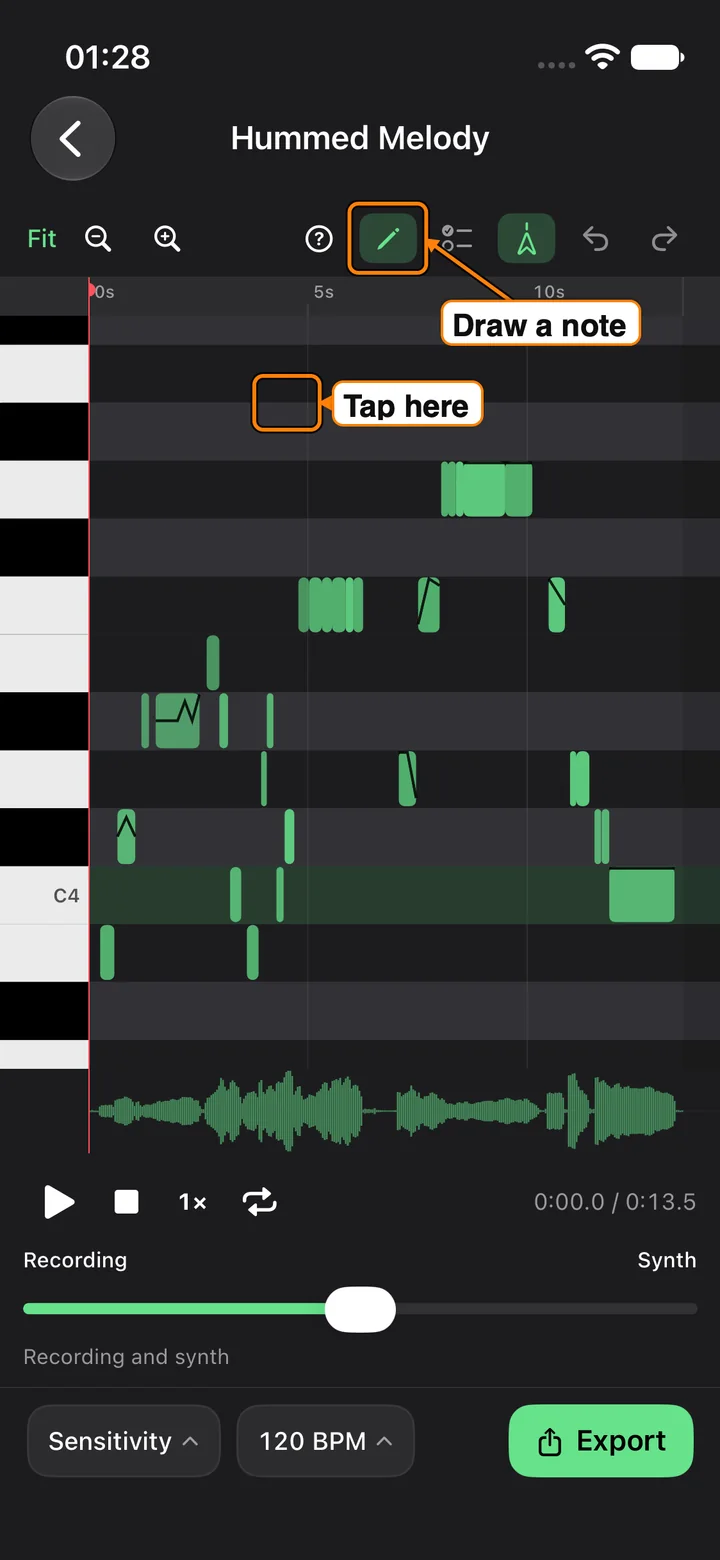
- Tap the empty space marked on the roll. Drag if you want a different length.
- The new note is selected. You can move it, change its pitch, or delete it like any other note.
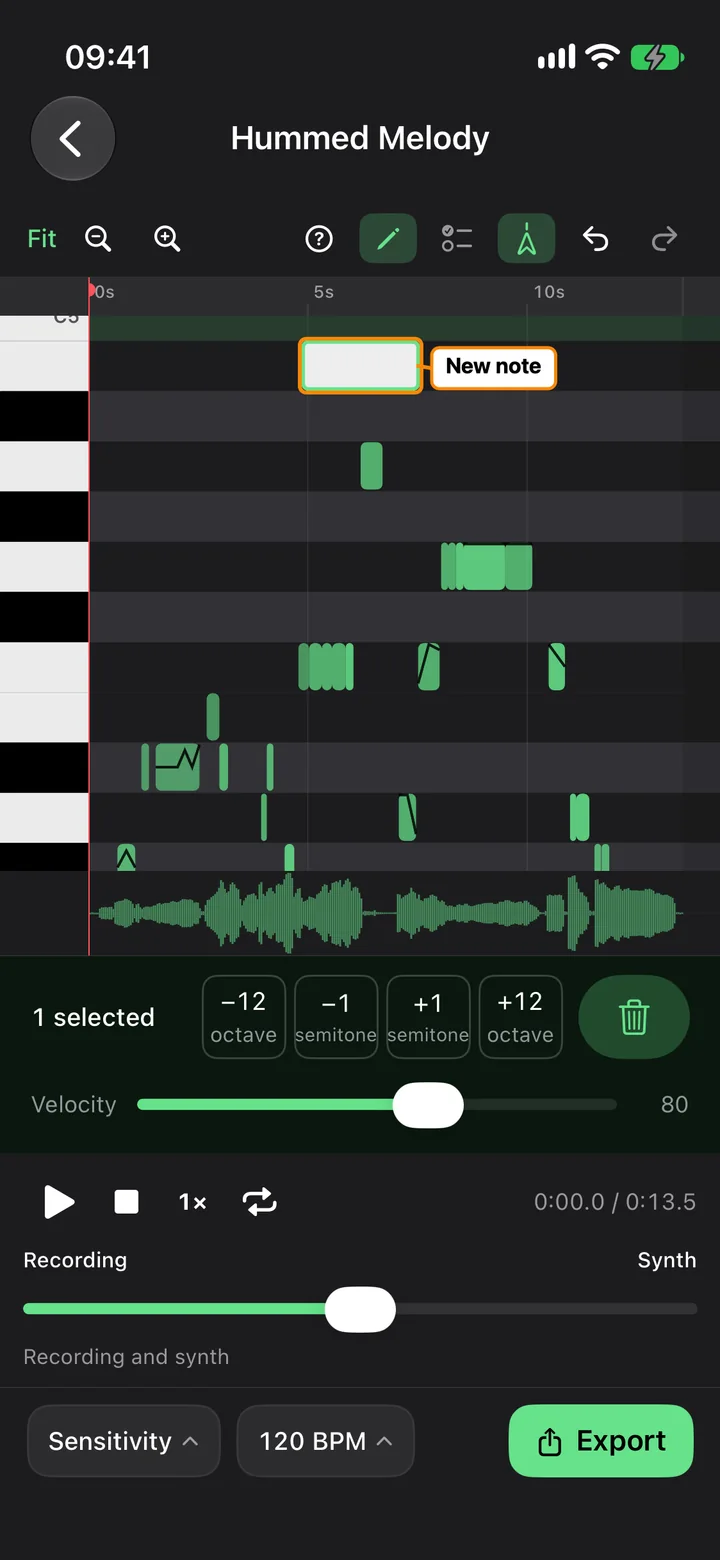
Leave Quantize off if you want the note where you tapped it. With Quantize off, a tap (without a drag) is one quarter note long at the tempo of the file. At 120 BPM that is half a second.
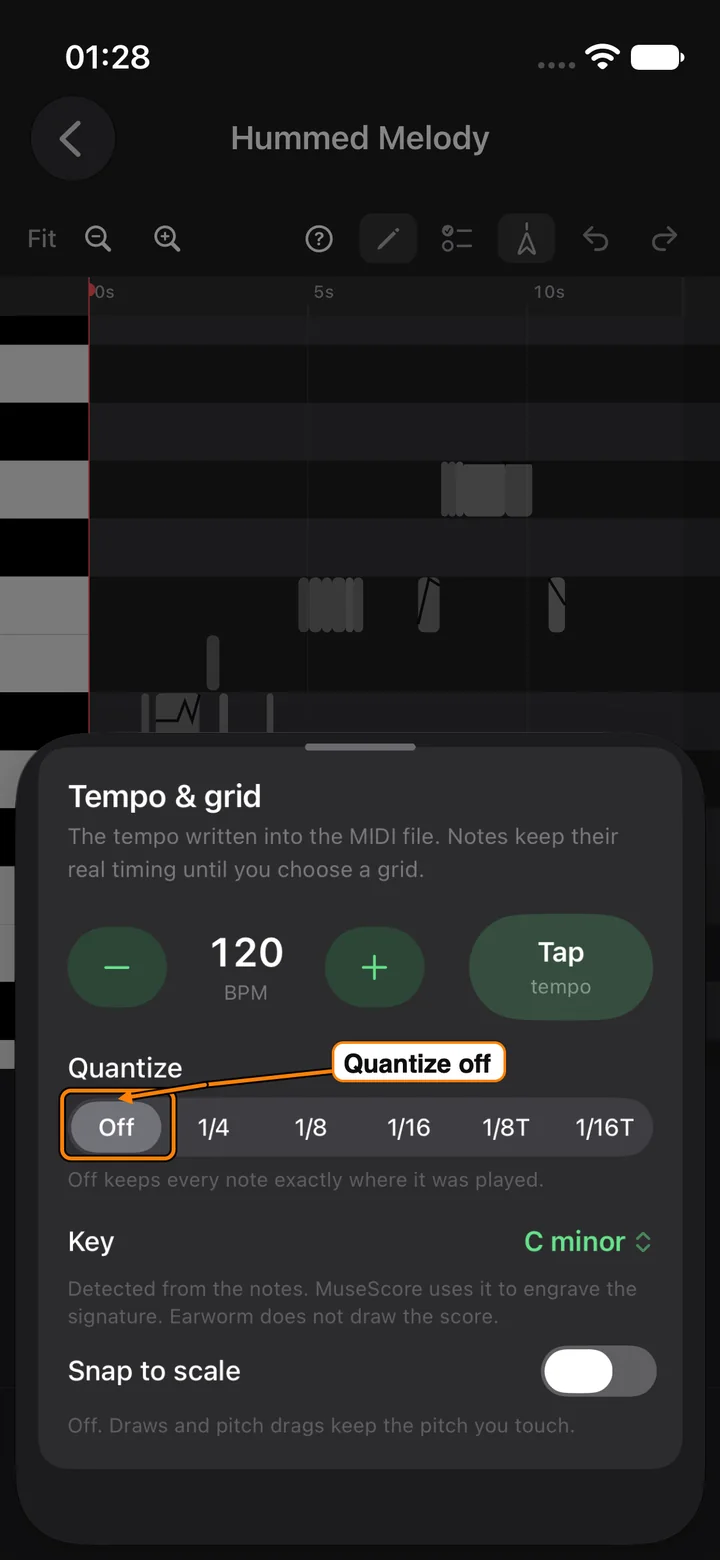
Turn a grid on from the tempo chip only when you want the note to land on that grid. Snap to scale is a separate switch, and it stays off until you turn it on. While it is off, the note keeps the pitch you touched.
How to loop and slow down
A fast phrase is easier to check when it repeats, and when it is slower. Slowing the playback does not change the pitch.
- Open the transcription and press play if you want to hear where you are.
- Tap the repeat button in the transport. It loops a short passage around the playhead, or the notes you have selected.
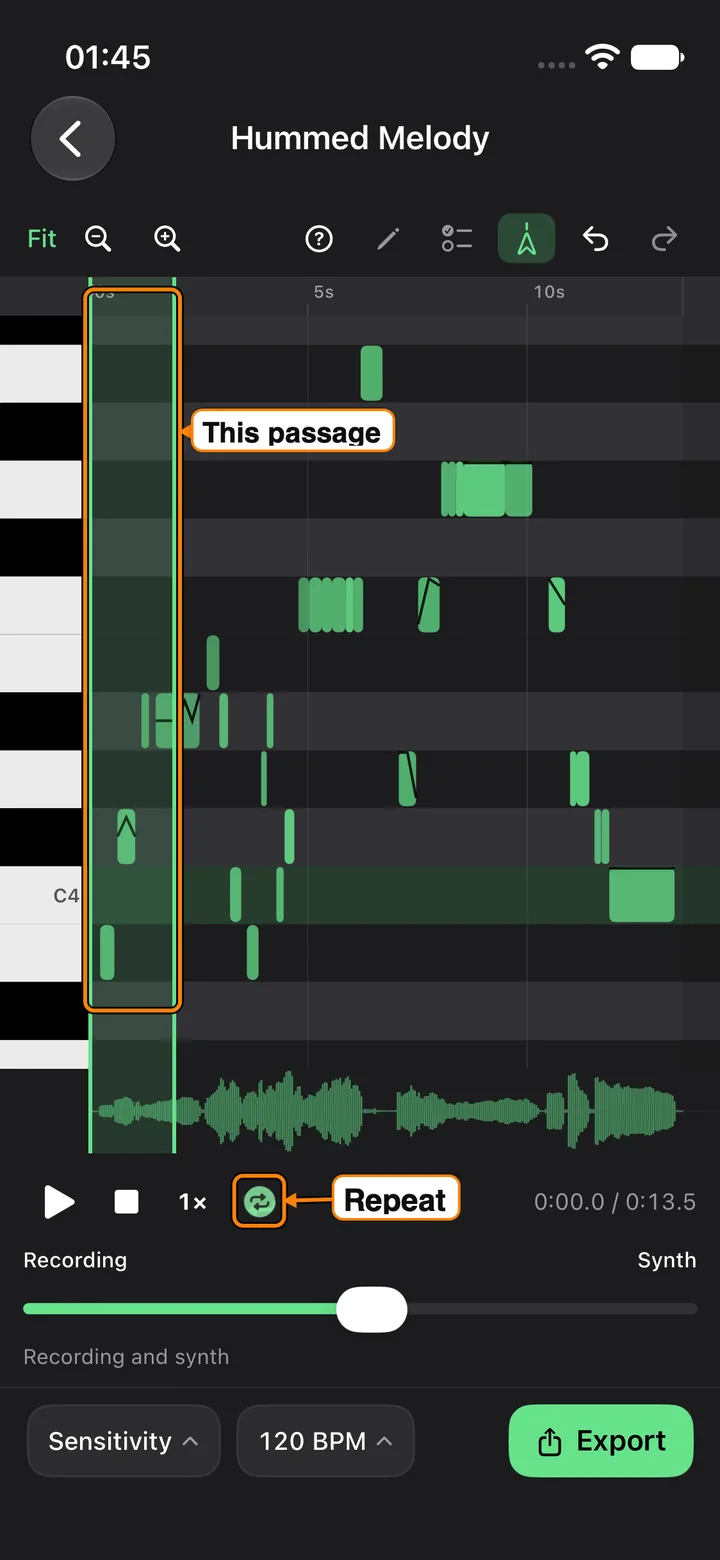
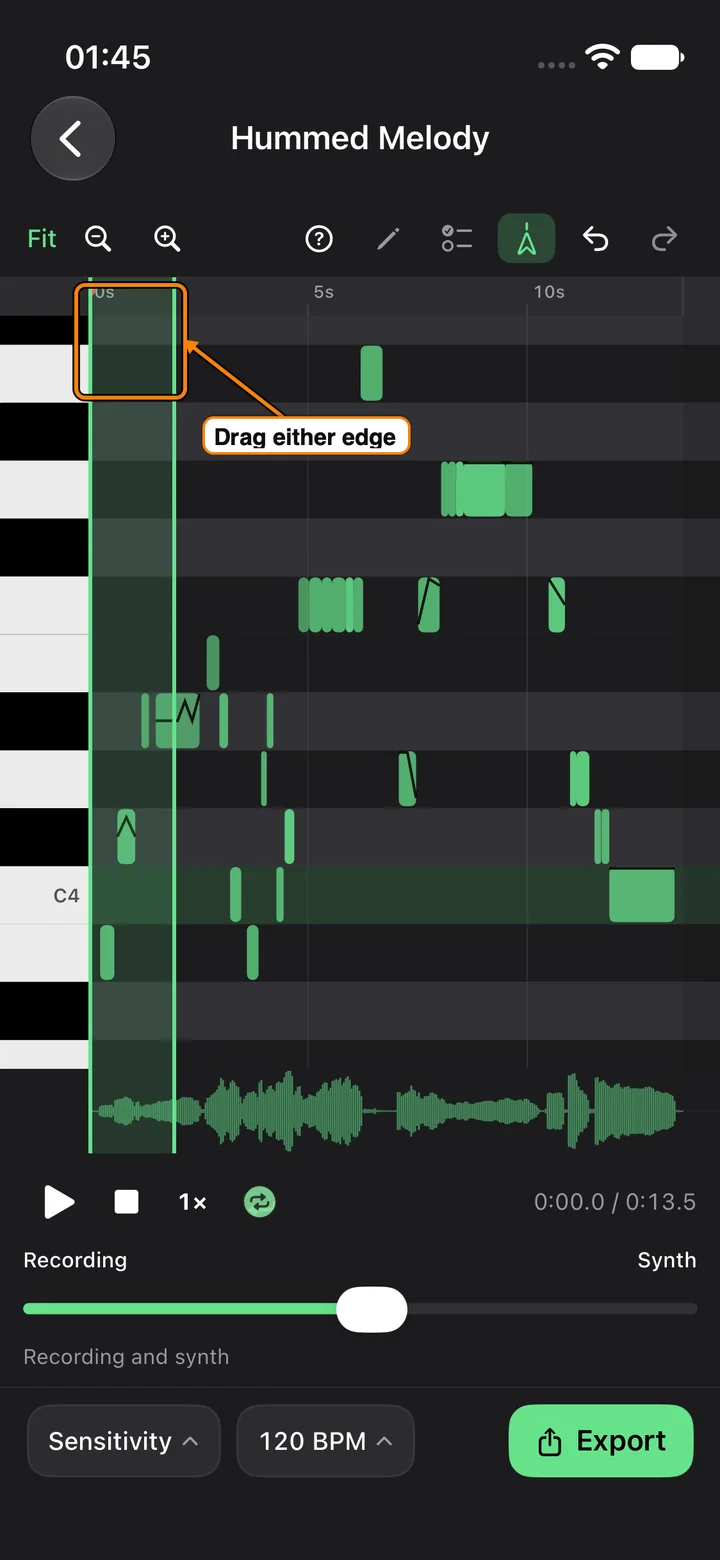
- Drag either edge of that passage on the time ruler to make it longer or shorter.
- Tap the speed button. It moves from full speed, to three-quarter speed, to half speed, then back to full.
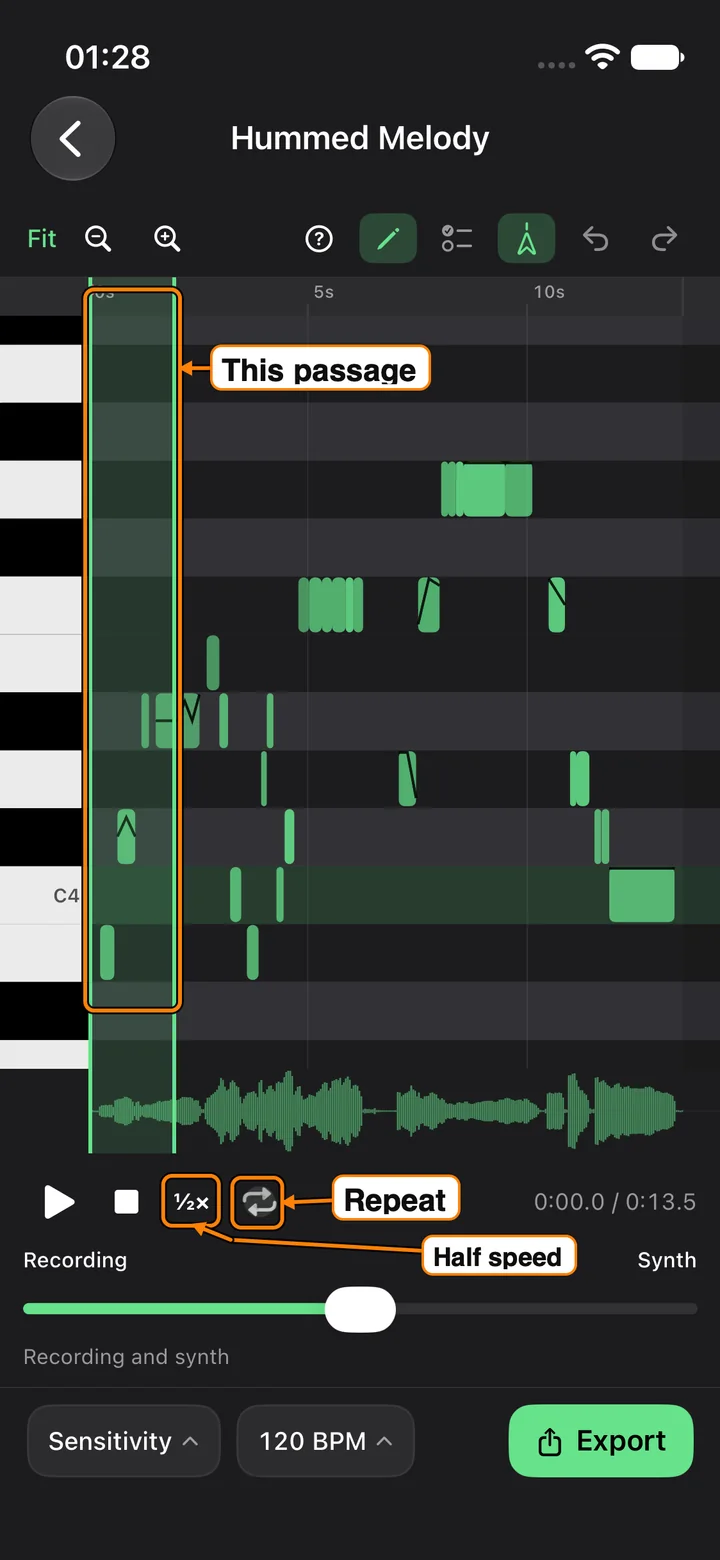
The button reads 1×, ¾×, and ½×. At three-quarter and half speed the recording and the synth both slow down, and both keep their pitch. Use it to compare a fast hum with the notes on the roll.
Tap repeat again to leave the loop. The passage is remembered, so the next tap brings the same one back.
How to set the key
Earworm writes a key signature into the MIDI file and the MusicXML file. MuseScore, Dorico, and Finale use that signature when they engrave. Earworm itself does not draw the score.
- Open the transcription.
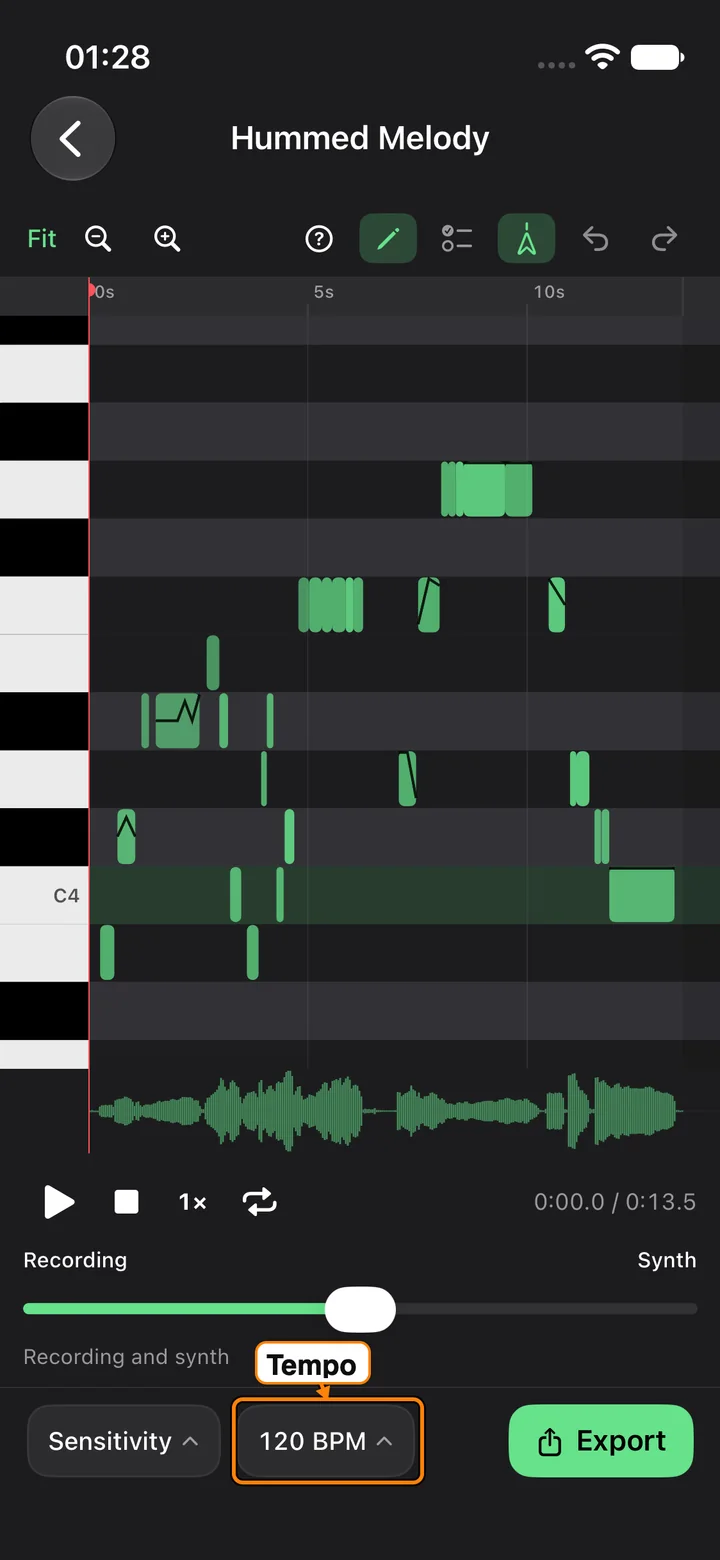
- Tap the tempo chip (it reads something like “120 BPM”).
- Under Key, open the menu.
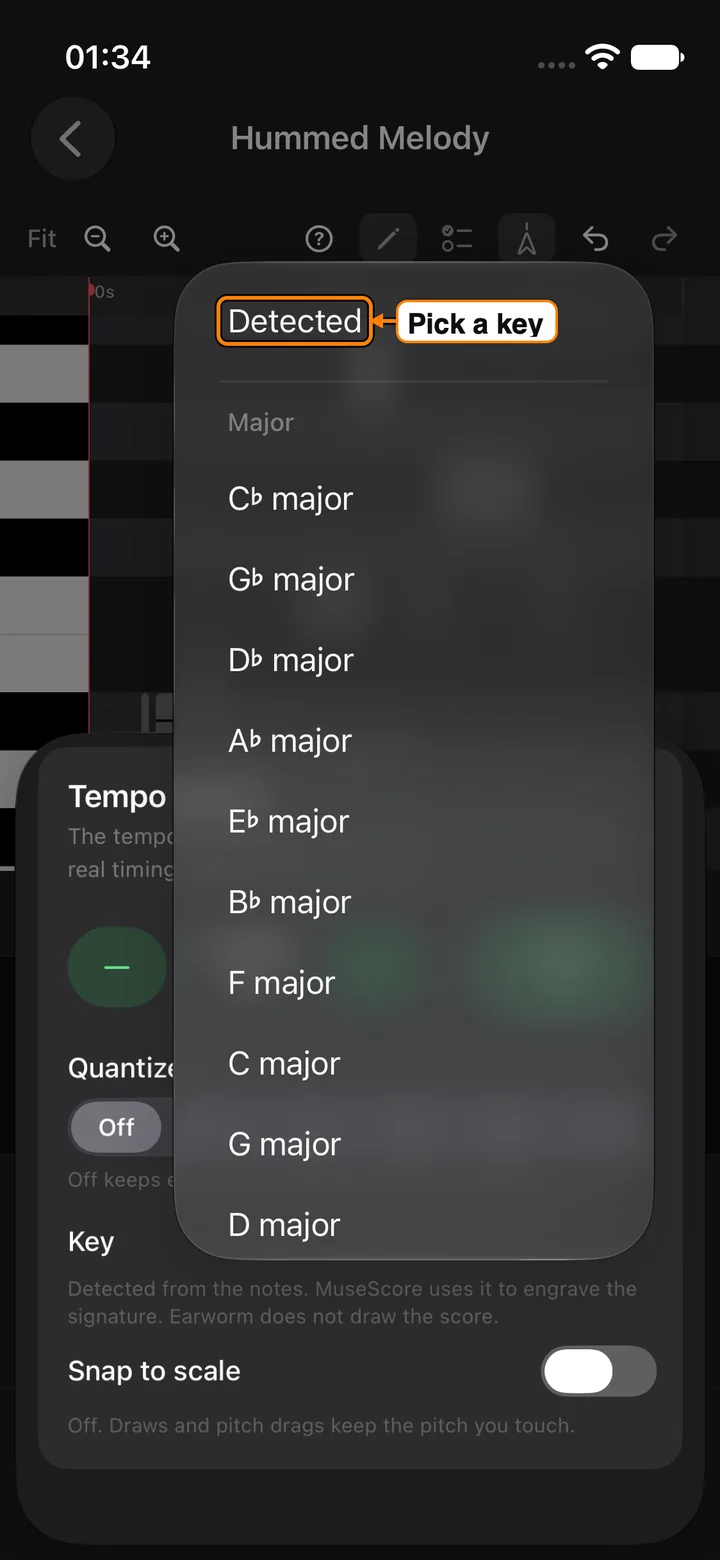
- Leave it on Detected, or pick a major or minor key.
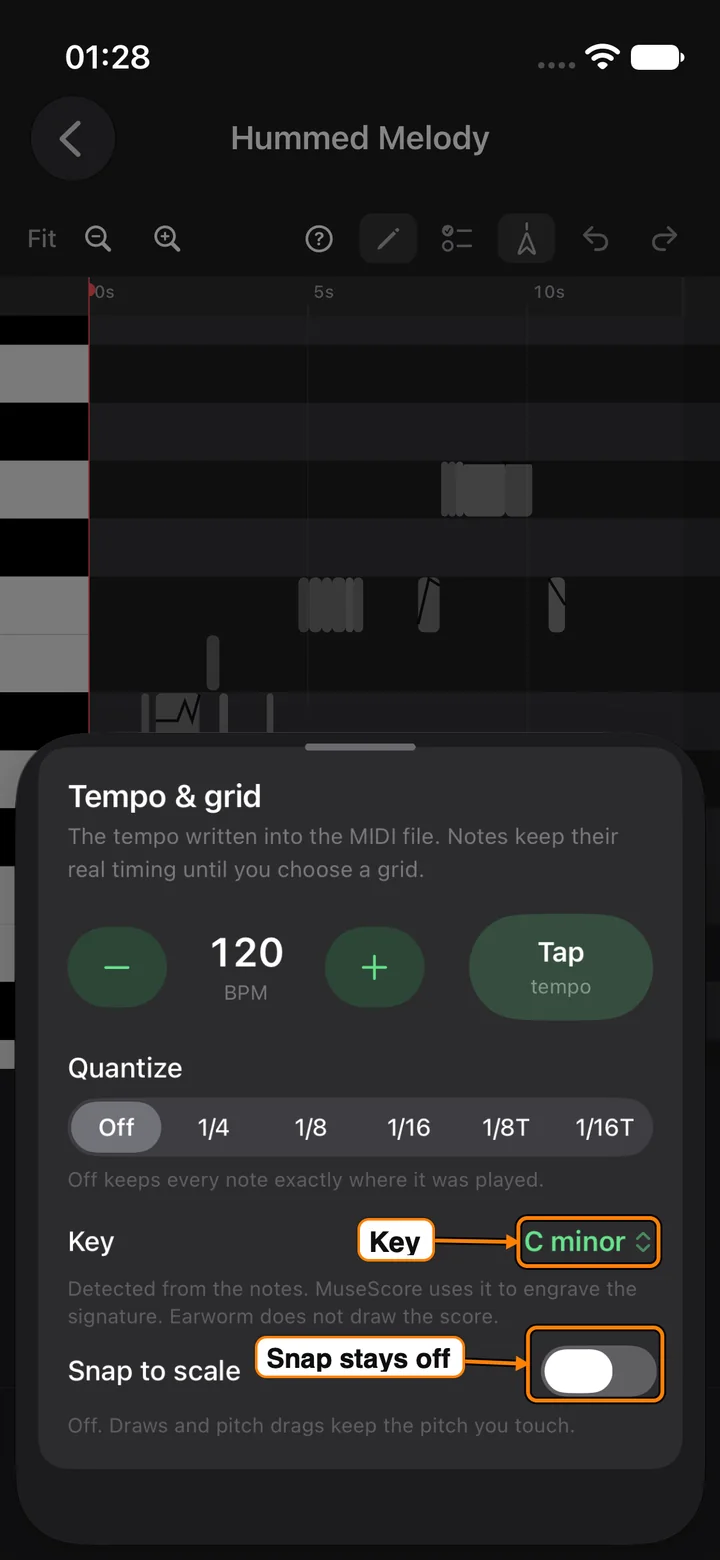
Detected is chosen from the notes. If you pick a key yourself, the sheet says that signature is written into the file. Choose Detected again to put the choice back on the notes.
Snap to scale is the switch under the menu. It stays off until you turn it on. Off means a drawn note, or a note you drag in pitch, keeps the pitch you touched. On means those edits land on the chosen scale. Turning it on does not move notes that are already on the roll.
How to hear the recording
Playback starts with the recording and the synth together. You can hear the recording on its own.
The mix is the wide slider under the clock, labeled Recording on the left and Synth on the right.
- Press play.
- Drag that slider all the way to Recording.
- The caption under it reads “Recording only.” That is the take, and the synth is silent.
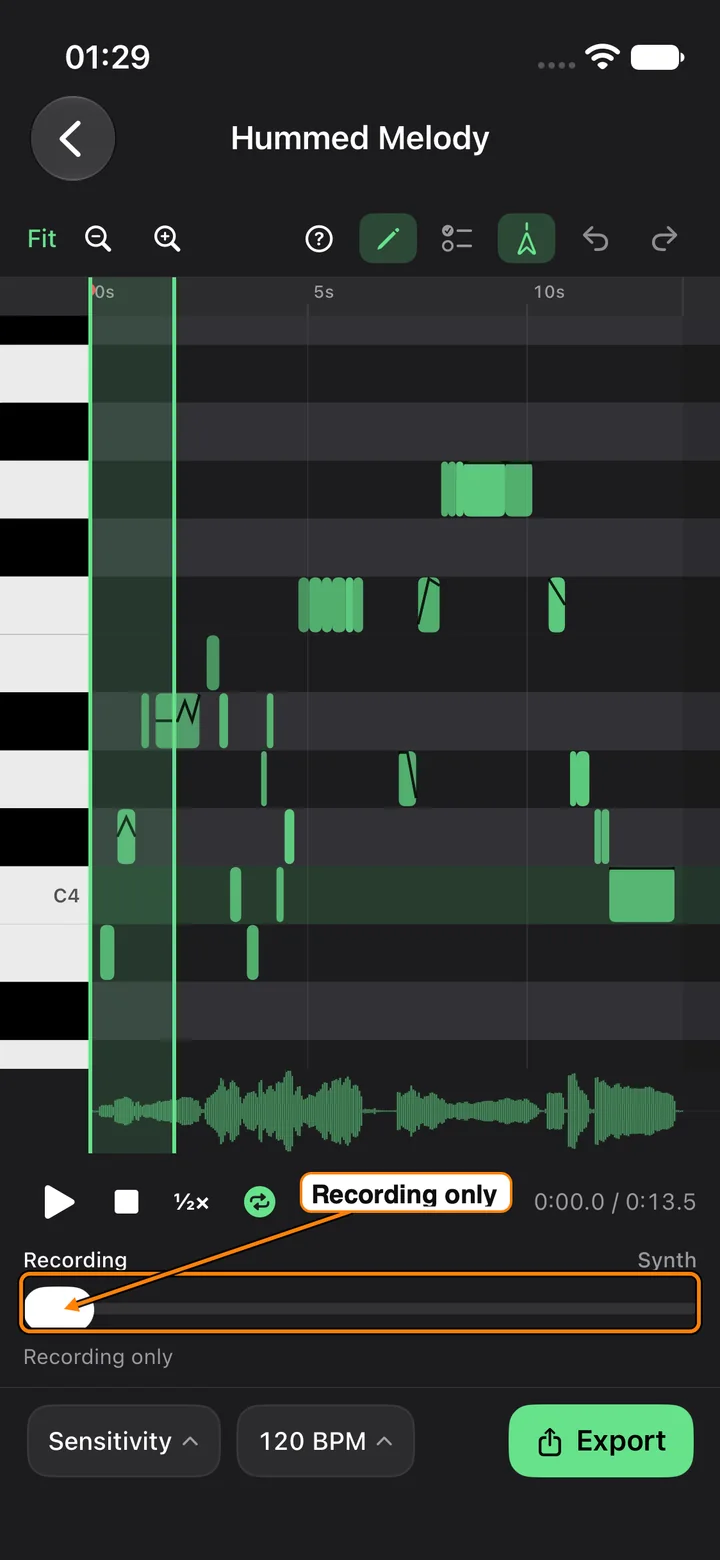
- Drag back toward Synth to bring the notes in. All the way right is the synth alone. The middle is both.
The other slider is easy to mistake for this one. It appears only when a note is selected, it is labeled Velocity, and it shows a number such as 80. That number is how hard the note is played. It does not change what you hear of the recording.
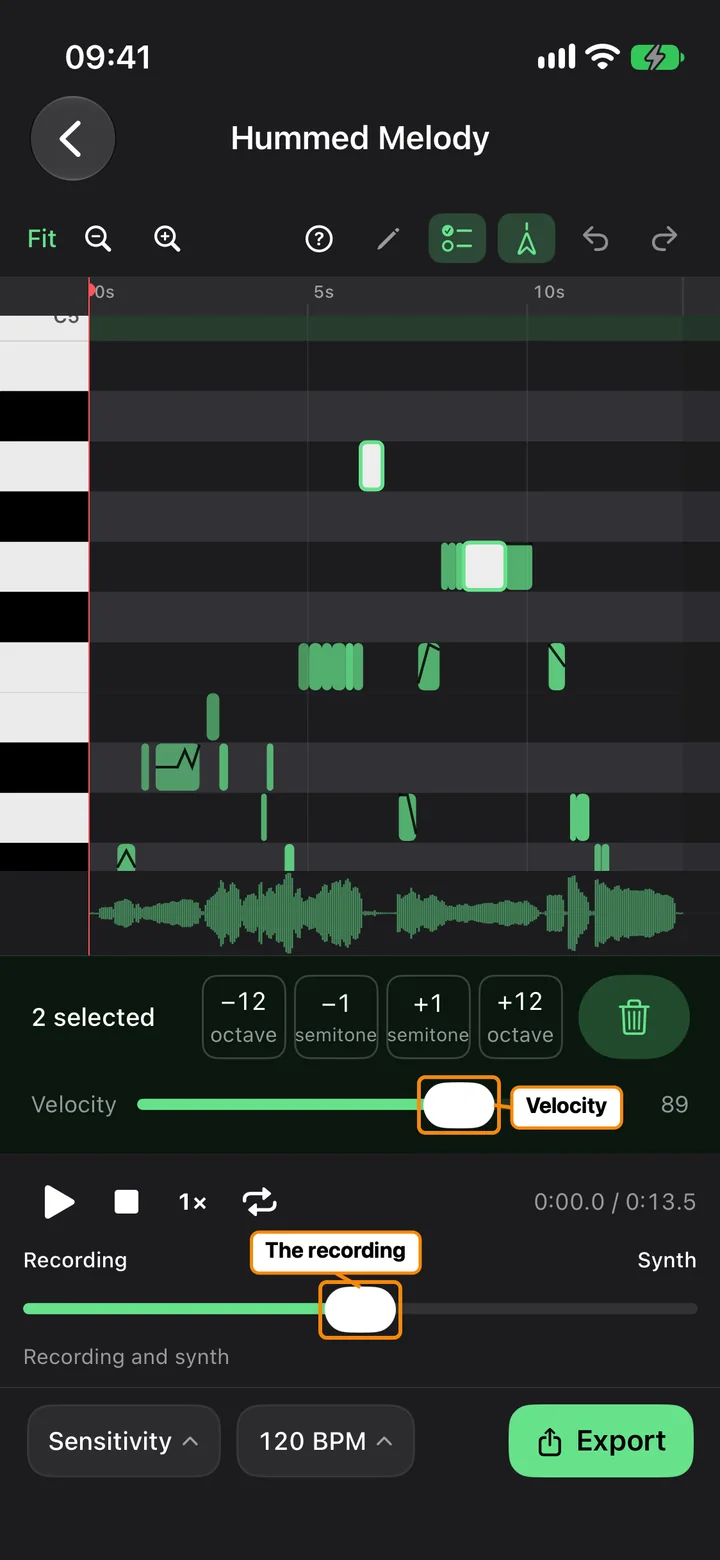
On a phone, the recording mix is its own row. It does not sit on top of the piano roll.
The question-mark button in the editor toolbar walks through the same controls inside the app. Still stuck? Visit Support, or go back to Earworm.